Most broker websites look professional. Far fewer convert.
The usual cause isn't the design. It's that the site was built as a brochure, when it needs to work as a funnel. Visitors don't deposit because a homepage looks good. They deposit because the site answered their trust questions, made registration easy, and didn't lose them at identity verification.
This guide covers how to design a broker website around that funnel, what to build into every page, and where compliance and conversion pull in different directions. It's general information, not legal advice. For the wider marketing picture.
See our digital marketing guide.
Design for the Funnel, Not the Homepage
A broker website's real job is to move a visitor through four stages:
Stage | What the visitor does | What to design for |
1. Registration | Signs up for a demo or live account | A short form, a clear promise, and one obvious next step |
2. KYC | Submits identity documents | Speed, clarity, and mobile-friendly uploads |
3. First deposit (FTD) | Funds the account | Payment methods they recognize, with clear fees and timing |
4. Activation | Places a first trade | Onboarding guidance and a working platform |
Operator benchmarks suggest that a large share of registrants, often well over half, never reach a first deposit, and that KYC is usually the steepest drop. Those numbers come from vendor reports and vary a lot between brokers, so treat them as a direction, not a target. The practical point is the same: measure each stage separately. Success is registrations, verified accounts, and first deposits, not page views.
The Homepage: Make the Promise Specific
Visitors decide within seconds whether the site is for them. Your top section needs to say who you serve and what makes you different, without hype.
- Specific beats superlative: "Institutional-grade execution for active retail traders" gives a visitor something to evaluate. "World's best broker" doesn't.
- One primary action: Pick one: open a demo or open a live account. Competing buttons split attention.
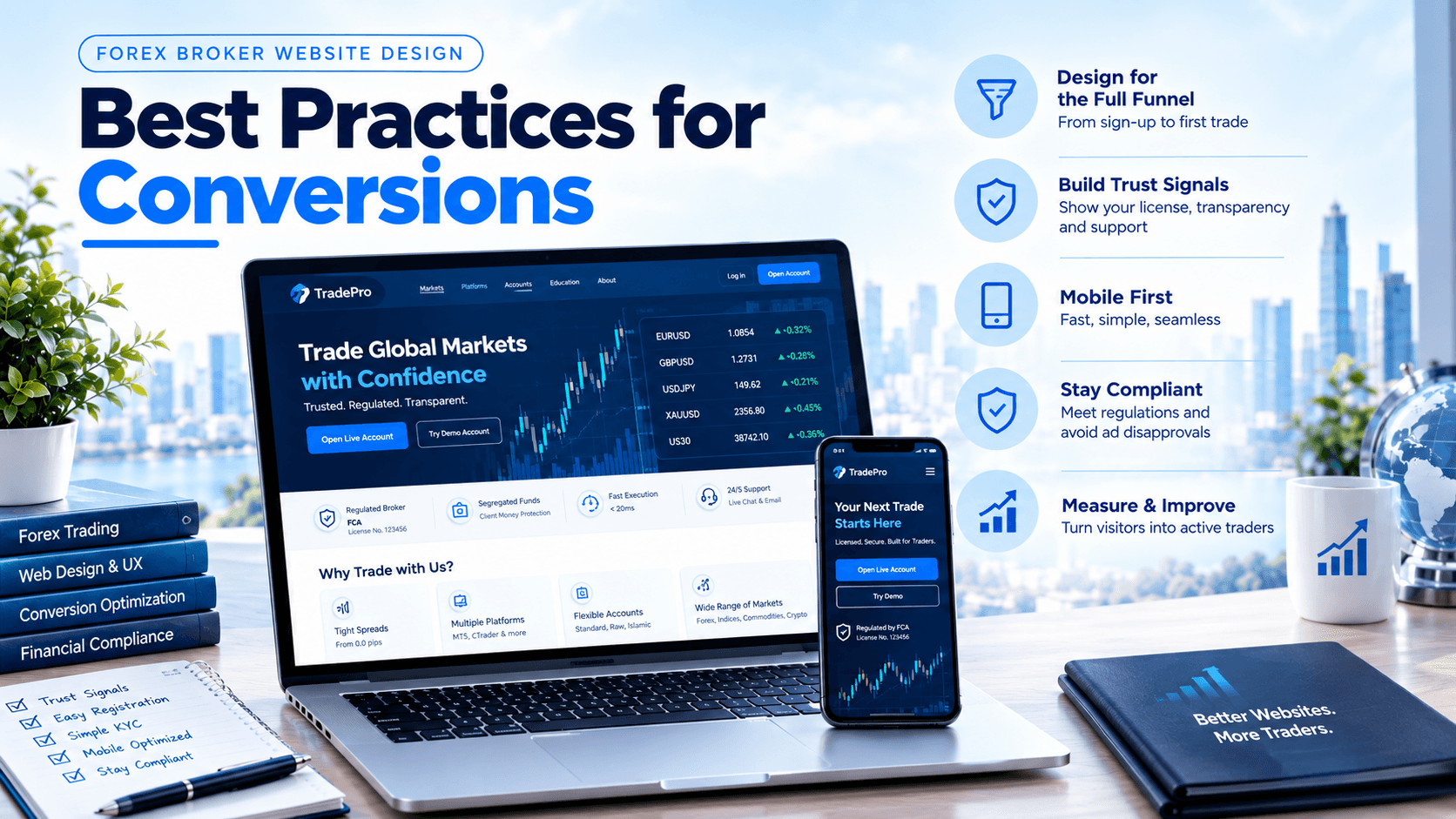
- A trust cue in the first screen: your regulator and license details, not buried in the footer.
- Trading conditions in plain view: by account type where possible.
And avoid vague "award-winning" claims you can't back up, and anything implying returns.
Treat Trust Signals as Conversion Elements
Traders have been burned by unreliable brokers, so trust is the main conversion variable on a broker site. Think of trust signals as part of the funnel, placed where doubts arise.
Show, in the right places:
- Regulator name and license number, linked or verifiable where possible
- Legal entity name, registered address, and contact details
- Clear spreads, commissions, swaps, and fees on a trading conditions page
- Withdrawal process and timing, stated honestly
- Live chat or support access before registration
- Risk warnings that meet your regulator's requirements
- A real team or company story, not stock images
Placement matters. A license badge on the homepage helps. The same reassurance near the registration form and the deposit page helps more, because that's where visitors hesitate.
Only claim what's true. Statements about client fund protection, regulation, or awards must match your actual license and records. See our guide on what a license does and doesn't cover.
Pages Every Broker Site Needs
Page | Its job |
Home | State the promise and drive the primary action |
Trading conditions / account types | Make costs transparent and comparable |
Platforms | Show MT5 (and any others) with download links |
Deposits and withdrawals | Show payment methods, fees, and timing |
Regulation and safety | Explain your license, and what it does and doesn't cover |
Education / blog | Build trust and organic traffic. |
About and contact | Show a real company with real people |
Legal pages | Terms, risk disclosure, privacy, complaints, and restricted-country notices |
Mobile and Speed
Much trading traffic arrives on phones, so treat mobile as the primary design, not a shrunk desktop version.
Google's Core Web Vitals thresholds for "good" performance:
- Largest Contentful Paint (loading): 2.5 seconds or less
- Interaction to Next Paint (responsiveness): 200 milliseconds or less
- Cumulative Layout Shift (visual stability): 0.1 or less
Test on real mobile networks, not just fast office Wi-Fi. Many brokers aim for under about 2 seconds on desktop and under 3 on mobile, though the exact targets vary by source.
Mobile design essentials:
- Thumb-friendly buttons and a visible call to action
- Short forms with large fields and the right keyboard type
- Document upload using the phone camera
- No pop-ups that cover the registration form
Registration and KYC: Where Most Conversions Are Lost
This is the highest-leverage part of the site, and also where compliance matters most.
Reduce friction without cutting corners:
- Ask for the minimum at each step: Collect basic details first and the rest when it's needed.
- Show progress: A visible "step 2 of 4" reduces abandonment.
- Don't require full KYC to try a demo: Make the demo easy to reach.
- Use automated document and identity verification: where your compliance framework supports it, so verification takes minutes, not days.
- Offer help at the moment of drop-off: A prompt like "need help completing verification?" can recover visitors who got stuck.
- Connect the form to your CRM: so accounts are created without delay.
See our CRM feature guide.
One caution on "progressive KYC." Some brokers allow limited activity before full verification and require complete KYC before larger withdrawals. Whether that is permitted depends entirely on your regulator and your AML rules. Never design a flow that bypasses required checks to lift conversion. Decide it with your compliance officer first.
See our compliance checklist.
Localize Only Where You're Allowed to Operate
Language, payment methods, and support hours can lift conversion in a market. But localization applies only to markets your license allows you to serve.
- Show payment methods your clients actually use in the markets you serve.
See our payment gateway guide. - Provide support in local languages and relevant hours.
- Display restricted-country notices, and block registration from countries you can't serve.
Building pages that invite sign-ups from markets you aren't authorized to serve creates legal and ad-platform risk.
Compliance Guardrails for Your Site
- License details and risk warnings on key pages and near forms
- No guaranteed-return or "risk-free" claims
- Bonuses and promotions only where your regulator permits them
- Cookie consent and a privacy policy that match your data practices
- Restricted-country notices and registration blocks
- Legal entity details consistent across the site, your ads, and your license
These also reduce ad disapprovals.
See our Google Ads compliance guide.
Measure and Improve
Set up tracking before launch:
- Events for each funnel step: registration started and completed, KYC started and completed, first deposit, first trade
- Funnel reports that show where visitors leave
- Mobile and desktop segmented separately
- A/B tests on one change at a time, such as form length or the placement of trust signals
Follow up fast. Sales teams often cite research that leads contacted within minutes convert far better than those contacted later. The exact multiples vary by source, but the principle holds: respond quickly to new registrations and stalled verifications.
What's New in 2026
- Core Web Vitals now use INP: replacing the older input-delay metric, so interactive pages need to respond quickly.
- AI search is part of discovery: Clear page structure, FAQ sections, and structured data help your content get cited.
- Trust transparency is increasingly expected: including visible fees, license details, and honest withdrawal information.
- Automated, risk-tiered verification: is becoming standard, which shortens KYC time where regulators allow it.
- Be careful with AI chat assistants on your site: If they discuss products or markets, they fall under the same promotion and compliance rules as any other communication.
Pre-Launch Checklist
- [ ] One clear promise and one primary action on the homepage
- [ ] License details and risk warnings visible near key actions
- [ ] Trading conditions, fees, and withdrawal information published
- [ ] Mobile pages tested on real networks against Core Web Vitals
- [ ] Short registration form, with demo access that doesn't require full KYC
- [ ] KYC flow tested end to end with CRM integration
- [ ] Restricted-country notices and blocks in place
- [ ] Funnel analytics set up before launch
- [ ] Compliance review of every page claim.
Related Reading
- Launch Your Forex Brokerage in 30 Days – MT5, CRM & Website Solutions
- Google Ads Compliance for Forex & Trading Businesses
- Content Marketing for Forex Brokerages: What Actually Works
About FX Launch Pad
The website is the part of a launch clients can see, so it gets the most opinions and the least testing. We treat it as a working part of the system. The registration form, KYC flow, CRM, and payment pages are built and tested together, and the claims on every page are checked against the client's actual license. That keeps the site persuasive and defensible at the same time.
If you're planning a broker website and want it built around your license, markets, and funnel, book a free consultation and we'll go through it with you.
Frequently Asked Questions
Q-1 What makes a forex broker website convert?
Ans- A clear, specific promise, visible trust signals, transparent costs, a mobile-first design, and a short registration and KYC flow. Conversion depends on the whole funnel, from registration through first deposit, not just the homepage.
Q-2 Why do so many visitors drop off during KYC?
Ans- Verification asks for documents and time at the moment motivation is lowest. Slow or confusing flows, poor mobile uploads, and a lack of help all increase drop-off. Automated verification, clear progress indicators, and live help can reduce it.
Q-3 How fast should a forex broker website load?
Ans- Follow Google's Core Web Vitals: loading within 2.5 seconds, interaction response within 200 milliseconds, and layout shift under 0.1. Test on real mobile networks.
Q-4 Can I allow trading before full KYC to improve conversion?
Ans- Only if your regulator and AML framework permit it. Requirements differ by jurisdiction, so decide this with your compliance officer. Don't design flows that skip required checks.
Q-5 What should a forex broker website never say?
Ans- Guaranteed returns, "risk-free" trading, unverifiable awards, or regulation claims your license doesn't support. Promotions should appear only where your regulator allows them.