
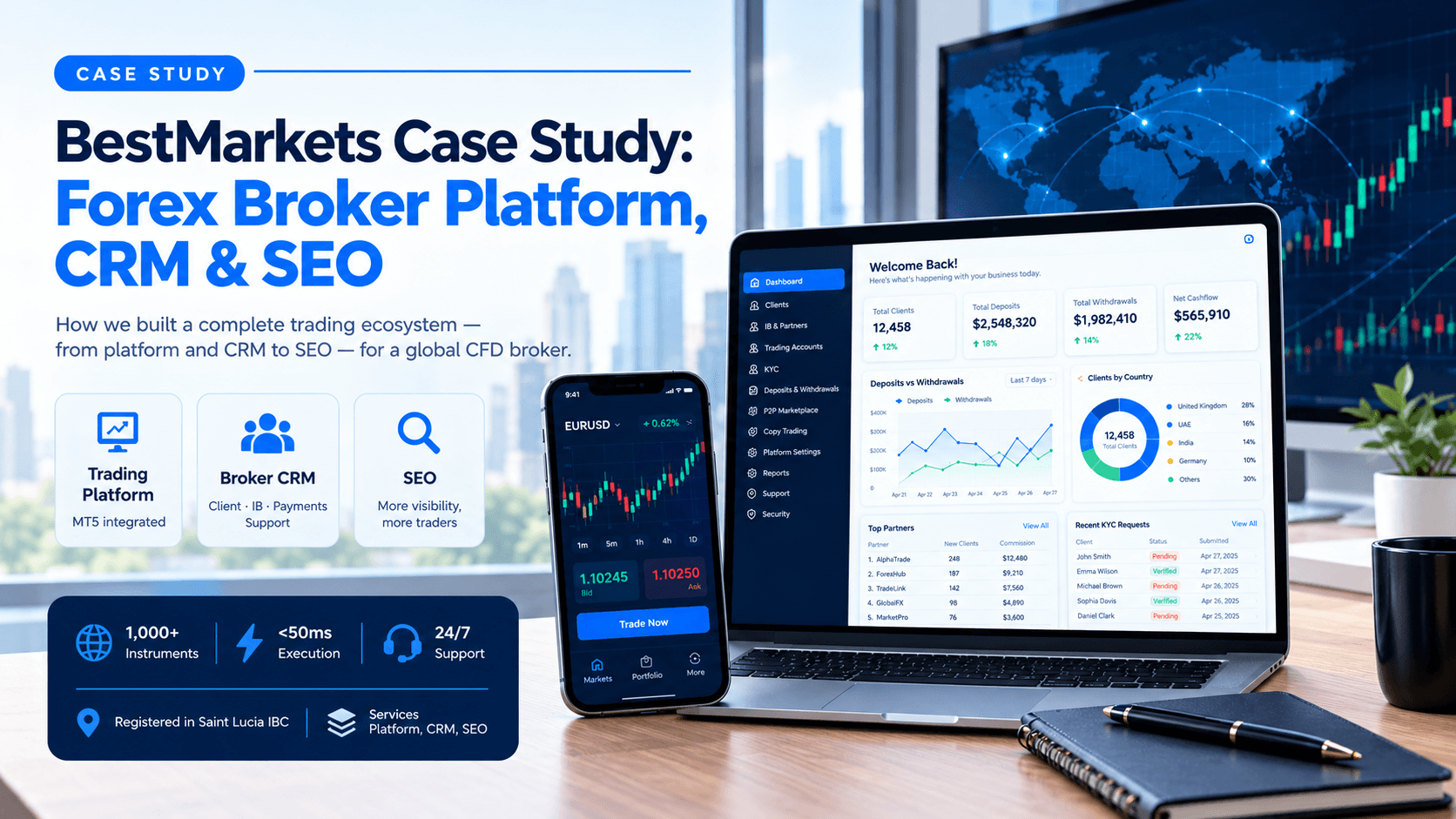
How we built the trading platform and broker CRM for a global CFD broker. We also run its SEO and keep everything running after launch.
- Client: BestMarkets
- Registered: in Saint Lucia IBC
- Services: Platform, CRM, SEO
- bestmarkets.com
The Client
About BestMarkets
BestMarkets is a global CFD broker registered in Saint Lucia as an IBC. It offers 1,000+ instruments, execution under 50ms, and 24sqrt(7) trader support. The brand promises transparent pricing and dependable service. That promise needs strong systems behind the scenes.
The Brief
What BestMarkets needed from us
A broker's trading front end is only half the business. The team needed a back office that matches the speed it promises traders.
Client Expectation | What we Delivered |
Manage every client from signup to first trade | Client list, KYC review queue, live MT5 account view, and a client behaviour funnel. |
Run an accurate partner program | IB dashboard, partner directory, tracked affiliate links, automated commissions, and flexible commission structures. |
Keep deposits and withdrawals under control | One ledger for deposits, withdrawals, transfers, and commissions, with status tracking and large-transaction alerts. |
Support traders without extra tools | A built-in support chat inbox and a searchable document repository. |
Protect staff access and sensitive data | Role-based permissions, encrypted credential storage, and full audit logs. |
Reach new traders through search | A dedicated SEO program for bestmarkets.com. |
Our Approach
From first call to ongoing support
1. Discovery - We mapped how broker, compliance, support, and partner teams work each day.
2. Planning - We grouped the work into ten clear modules and agreed the scope.
3. Build - We developed the panel and connected it to the MT5 trading server.
4. Testing & Launch - We tested each workflow before the platform went live.
5. Support- We stay on as the maintenance partner after launch.
SCOPE OF DELIVERY
Everything included in the platform
Module group | What is included |
Executive dashboards | Financial overview and statistics by country and payment provider. |
IB and partner management | IB dashboard, partners, affiliate links, commissions, groups, and commission structures. |
Client management | Clients list, trading accounts, KYC requests, and client behaviour analytics. |
Communication and documents | Support chat inbox and global document repository. |
Financial operations | Deposits and withdrawals ledger and internal transfers. |
P2P marketplace | Marketplace settings, ads, and orders. |
Copy trading | Fee caps, investment limits, and a master switch. |
Platform configuration | Website announcements, MT5 leverage, currencies, symbols, and flags. |
Security and access | Secrets, roles, employees, and permission sections. |
System monitoring | Audit logs, notifications, and cron logs. |
WHAT WE BUILT
See the platform in action
The panel connects to the MT5 trading server. Pick a module to see the real screen.
1. Deshboards
See financial health in seconds
Owners track deposits, withdrawals, and net cashflow on one screen. Filters cover country, partner, and client type.
- Daily deposits versus withdrawals trend
- Statistics by country and payment provider
- One-click CSV export for reports
2. IB Partners
Run a partner program without spreadsheets
Every referral is tracked from click to first deposit. Commissions run automatically for any date range.
- Top-5 partner leaderboard and commission trend
- Affiliate links flag broken attribution early
- Spread-share structures with daily or monthly payouts
3. Client Lifecycle
Know exactly where clients drop off
The funnel runs from registration to KYC, first deposit, and first trade. Retention is tracked from Day 1 to Day 30.
- KYC queue with document preview and approval
- Live MT5 balance, equity, and leverage per account
- Support chat and document vault in the same panel
4. P2P Marketplace
Add a peer-to-peer marketplace
Admins control fees, limits, and supported assets from one settings page. A live calculator previews the fee on every order size.
- Ads and orders tracked from listing to release
- Transfers between MT5 accounts and P2P wallets
- Master switches for chat, demo access, and KYC
5. Copy Trading
Let clients copy top traders
The platform sets the fee cap and the investment limits. One master switch pauses all new copy relationships.
- Platform fee and provider fee cap
- Global minimum and maximum investment
- Allocation limits per signal provider
6. Platform Settings
Change the trading setup without a developer
Leverage tiers, currencies, symbols, and announcements update from the panel. No server restart is needed.
- Leverage tiers from 1:10 up to 1:1000
- Forex, Crypto, and Index symbols on demand
- Site-wide announcements with a visibility toggle
7. Security
Lock down every sensitive credential
MT5 and payment-gateway keys are encrypted and masked by default. Roles decide which sections each staff member can open.
- Encryption at rest for server credentials
- Role- and section-based permissions
- Employee accounts tied to least-privilege roles
8. Monitoring
Every action leaves a trail
Audit logs record who changed what, from which IP address, and when. Alerts surface large transactions and new KYC submissions.
- Searchable audit log for compliance review
- Notification center with severity levels
- Cron logs for market data and commission jobs
Added Value
What we added beyond the core back office
We also built features that give BestMarkets room to grow.
1. P2P Marketplace - Traders buy and sell through a marketplace with its own fees and limits.
2. Copy trading - Clients follow signal providers while the platform controls fee caps.
3. Behaviour analytics - Funnel and retention views show where clients drop off.
4. Attribution checks - Broken affiliate links are flagged before a partner loses commission.
5. Live fee previews - Settings pages show the effect of each fee as admins type.
A DAY IN THE CONTROL ROOM
How a broker team uses it
1. Start with the dashboard - The owner checks cashflow and pending requests before markets get busy.
2. Clear the queue - Compliance approves KYC while support answers open tickets.
3. Pay the partners - One click runs yesterday's commissions for every IB.
4. Stay audit-ready - Every approval and change is logged with a timestamp.
After Launch
Maintenance and ongoing support
Launch is the start of the work. We keep supporting the platform every month.
1. Platform monitoring - We watch scheduled jobs, MT5 connectivity, and error logs.
2. Fixes and updates - We resolve issues quickly and release regular improvements.
3. Security upkeep - We review access, credentials, and permissions regularly.
4. New features - We add modules and reports as the business grows.
BEYOND THE PLATFORM
SEO that brings qualified traders to the site
We run the SEO program for bestmarkets.com as a monthly service. We also track rankings and fix technical issues as they appear. Our work follows three pillars.
1. Technical foundation - Site speed, crawlability, and indexing stay healthy as the site grows.
2. Content that educates - Trader guides and instrument pages answer real questions with clear risk context.
3. Search intent - Keyword research targets CFD, forex, and trading searches that convert.
THE OUTCOME
What BestMarkets gained
1. One control room - Teams manage KYC, payments, and support without switching tools.
2. Clear partner payouts - Commissions run automatically with visible attribution.
3. Audit-ready records - Every admin action is logged for compliance reviews.
4. Room to grow - P2P, copy trading, and SEO support the next stage of growth.
Want a branded trading platform like this?
We set up, configure, and launch every module you saw here. We also support your growth with SEO.